
Pixel art styles
Pick a pixel art style for your game, from cozy farm sims to dark dungeons and neon cities. Every character, item and building you generate in your project then follows its look.
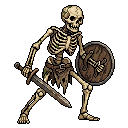
MagicPixel Default
64px and 128px
Clean, readable pixel art with dark outlines and stepped shading. A safe all-round look for fantasy, adventure and casual games at 64 or 128 pixels.

Cozy Farm
64px · Cozy · Farming · Life sim
Warm, friendly pixel art for farming and life sim games. Soft rounded shapes, warm brown outlines instead of black, and golden sunset colours. A 3/4 top-down view that fits crops, cottages, fences and villagers.

Grim Dungeon
64px · Dark fantasy · Dungeon · Roguelike
Dark fantasy pixel art for dungeon crawlers and roguelikes. Black outlines, cold desaturated stone, heavy shadows and a single warm torchlight accent, in a 16-bit 3/4 top-down view.

Neon City
64px · Cyberpunk · Sci-fi · Neon
Cyberpunk pixel art for side-scrolling action platformers. Deep navy and purple shadows with hot magenta and cyan neon accents, dark navy outlines and a rainy megacity mood.

Storybook Meadow
64px · Fantasy · Painterly · Pastel
Gentle, painterly pixel art for storybook adventures and cozy platformers. Soft pastel colours, coloured outlines a shade darker than the fill, and smooth multi-step shading in a side view.
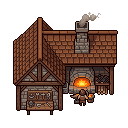
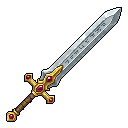


Sign in to use a style for your project and to see styles other game devs have shared.
How pixel art styles work
A style is a small set of example sprites: a character, an environment piece and an item drawn with one palette, outline and shading. Use a style for your project and MagicPixel sends those examples with every generation, so new characters, props and buildings match the rest of your game instead of drifting from one asset to the next.
Choosing a style for your game
Start from your camera and size. Top-down and 3/4 styles suit farming, RPG and dungeon games; side-view styles suit platformers and action games. 64px sprites keep a classic, readable look, while 128px leaves room for painterly detail. You can switch styles at any time, or make your own from your game's art in the MagicPixel editor.